A quick mental model of an electric car
Think of an electric car as a big, mobile battery feeding a strong electric motor, with a smart “valve” in between that meters power. Instead of a gas tank, engine, and multi-gear transmission, you mostly have a battery pack (energy storage), an inverter/controller (turns battery power into the right kind of electricity and amount), and a motor (makes torque). Press the accelerator and the inverter sends more power to the motor; lift off and the motor can act like a generator to slow the car and refill the battery a little. The trade-off is you’re managing stored electricity, so charging time and temperature matter.
From wall plug to wheels: the core energy path
You notice it the first time you charge at home: nothing “fills up” with liquid, you’re just moving electrical energy from the grid into the car. The path is simple: wall power goes through the charging equipment, into the car’s onboard charger (for most home and Level 2 charging), and then into the battery pack as stored chemical energy. When you drive, the battery sends high-voltage DC electricity to the inverter, which converts it into carefully timed AC for the motor. The motor turns that electrical power into rotation, and a single-speed reduction gear spins the wheels.
The practical constraint is that each step has limits and losses. Your home circuit, the car’s onboard charger, and even a cold or very full battery can cap how fast energy can go in. On the way out, hard acceleration can draw a lot of power quickly, while steady speeds sip it more gently—one reason EV range can swing noticeably with driving style and conditions.
The battery pack: cells, modules, and usable energy
You can picture the battery pack like a large, well-protected pantry made of many small “items.” The smallest pieces are cells (like oversized rechargeable batteries). Cells are grouped into modules, and modules together form the pack, with thick cables carrying high-voltage power out to the rest of the car. Because no two cells are perfectly identical, the pack also includes a battery management system that watches voltage and temperature and keeps the cells balanced so one weak group doesn’t limit the whole pack.
What matters for daily use is “usable” energy, not the headline number. A pack rated at, say, 80 kWh usually holds a little extra at the top and bottom that you can’t access. That buffer helps the pack last longer and leaves room for regen when you’re near 100%. The trade-off is simple: protecting the battery costs some capacity, and keeping it in its comfort zone can mean slower charging when it’s very cold, very hot, or nearly full.
Charging basics: AC vs DC and what limits speed
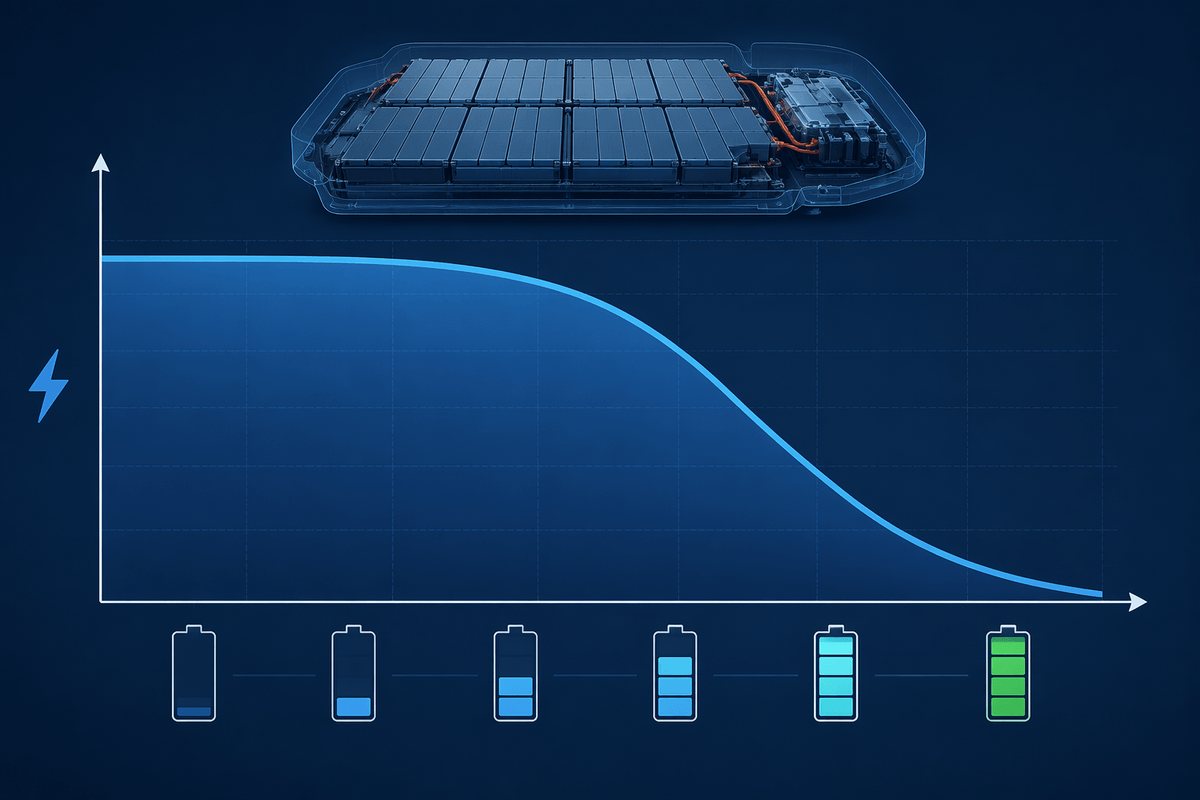
You’ll run into two kinds of charging in the real world: AC charging (typical at home and many workplace spots) and DC fast charging (most highway “fast” stations). With AC charging, the station is mostly a smart, protected outlet; the car’s onboard charger does the work of converting AC from the grid into the DC the battery can store. That onboard charger has a max rating, so even if the wall connector could supply more, the car may not take it.
With DC fast charging, the big converter is in the station, and DC goes straight into the pack. That can be much faster, but it still isn’t unlimited. The battery can only accept so much power without overheating or stressing the cells, and charging naturally slows as the pack gets closer to full—often the last 20% takes disproportionately long. Temperature adds another cap: a cold pack may charge slowly until it warms up, and repeated fast charging can mean more heat to manage and, over time, more wear.
Motor and inverter: turning electricity into torque
You feel the motor and inverter working every time you press the accelerator and the car responds instantly, without a downshift. The battery stores high-voltage DC, but most EV motors need carefully timed AC to make smooth, strong rotation. The inverter is the translator: it switches the battery’s DC on and off very rapidly to create AC with the exact frequency and strength needed for the torque you’re asking for. The motor then turns that controlled magnetic “push” into rotation, and a simple reduction gear multiplies it to the wheels.
The constraint is heat and current. Big torque at low speed and repeated hard launches can push a lot of current through the inverter and motor windings, which creates heat that must be carried away by cooling systems. That’s why peak power is often time-limited, and why towing, mountain climbs, or track driving can lead to reduced power if temperatures rise too far.
Regenerative braking and where the energy really goes
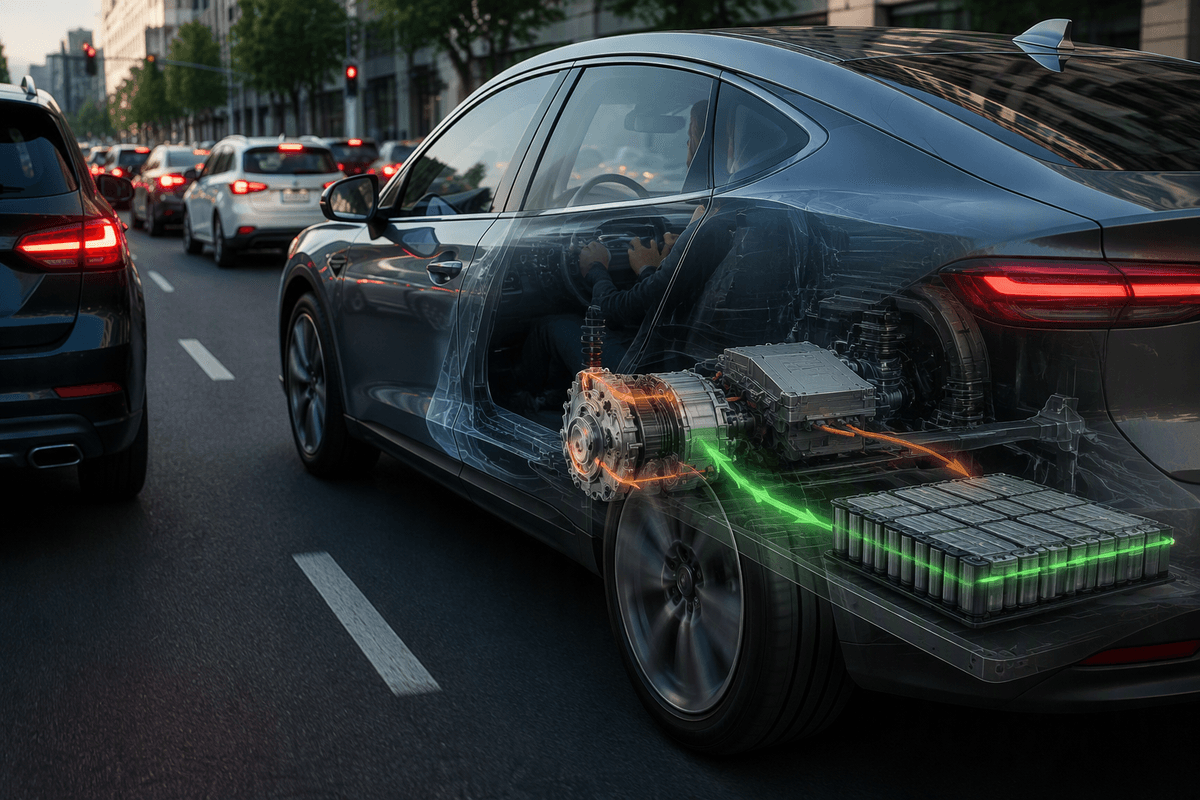
You notice regenerative braking most in stop-and-go traffic: you lift your foot, and the car slows without you touching the brake pedal much. What’s happening is that the motor briefly flips roles. Instead of using electricity to make rotation, it uses the car’s motion to spin the motor and produce electricity. The inverter routes that electricity back into the battery pack, and the motor’s “resistance” creates the slowing force.
It helps efficiency, but it isn’t magic. Regen is limited by traction (tires can only grip so much), by how much power the battery can accept in that moment, and by battery state of charge—near 100%, there may be little room to take energy in, so regen is reduced. At low speeds, and for hard stops, the car blends in the regular friction brakes. That “wasted” energy becomes heat at the brake rotors, just like in a gas car.
Heat, safety, and the systems you never see
You’ll mostly notice these systems when the car does something “boring” on purpose: a fast charge slows down, the cabin heat changes efficiency, or peak acceleration isn’t available after a long climb. That’s temperature management at work. EVs run pumps and valves to move coolant through the battery, motor, and inverter, and they may use a heat pump or resistive heater to warm the cabin—and sometimes the battery—because a cold pack can’t deliver or accept power as easily.
Safety is layered into the background. The battery pack is a sealed, reinforced structure with sensors watching for abnormal voltage, temperature, or crashes. If something goes out of bounds, the car can open high-voltage contactors to isolate the pack, and it can limit power or charging before damage spreads. The trade-off is cost and complexity: extra plumbing, sensors, and protective structure add weight, and diagnosing a cooling or high-voltage fault can be more specialized than a typical gas-car repair.
Putting it together: what affects range and daily use
You notice range swing most when your routine changes: a faster highway commute, a cold morning, or a week of errands with lots of stops. At steady speed, the main drain is simply pushing air and rolling the tires, so higher speeds cost disproportionately more. In town, regen can claw back some energy, but it can’t fully erase the losses of accelerating a heavy car and it may be reduced when the battery is cold or near full.
Daily convenience comes down to charging access and time. Home Level 2 often covers typical driving with little planning, while road trips depend on DC fast chargers and the reality that charging slows near 80–90%. Cabin heat, towing, roof boxes, and underinflated tires can all be noticeable range hits, even when the car is otherwise “working fine.”