Your headphones aren’t fragile—you’re just wearing them hard
Most headphones don’t “just die”—they get worn out by normal routines done a little too aggressively. Tossing them into a bag uncovered, pulling them off with one cup, jogging with sweat-soaked pads, or cranking volume to compete with traffic all adds up to the same result: small stresses turning into loose connections, distorted drivers, and peeling materials. Even pricey models fail early if the cable is constantly bent at the plug or the headband is stretched past its range. The good news is you don’t need special tools—just a few habit changes that match how you actually use them.
Yanking cables and bending plugs until something breaks
You know the moment: your phone slips, the cable snags on a backpack strap, and you “save it” by grabbing the cord and yanking. That split-second move is rough on the two weakest points—the plug and the spot where the cable enters the earcup or inline remote. Inside, tiny wires and solder joints take the hit, so the first warning is usually crackling when you turn your head or a channel that cuts in and out.
Plugs fail the same way when they’re used as a handle. Repeatedly bending the connector to make it “sit right” slowly loosens the jack and kinks the cable’s strain relief. The fix is boring but effective: pull by the plug housing, not the cord, and give the cable a little slack so it isn’t acting like a leash. If you’re always on the move, an L-shaped adapter or a short extension is a cheap sacrificial part.
Wrapping cords tightly and “knotting” them for storage
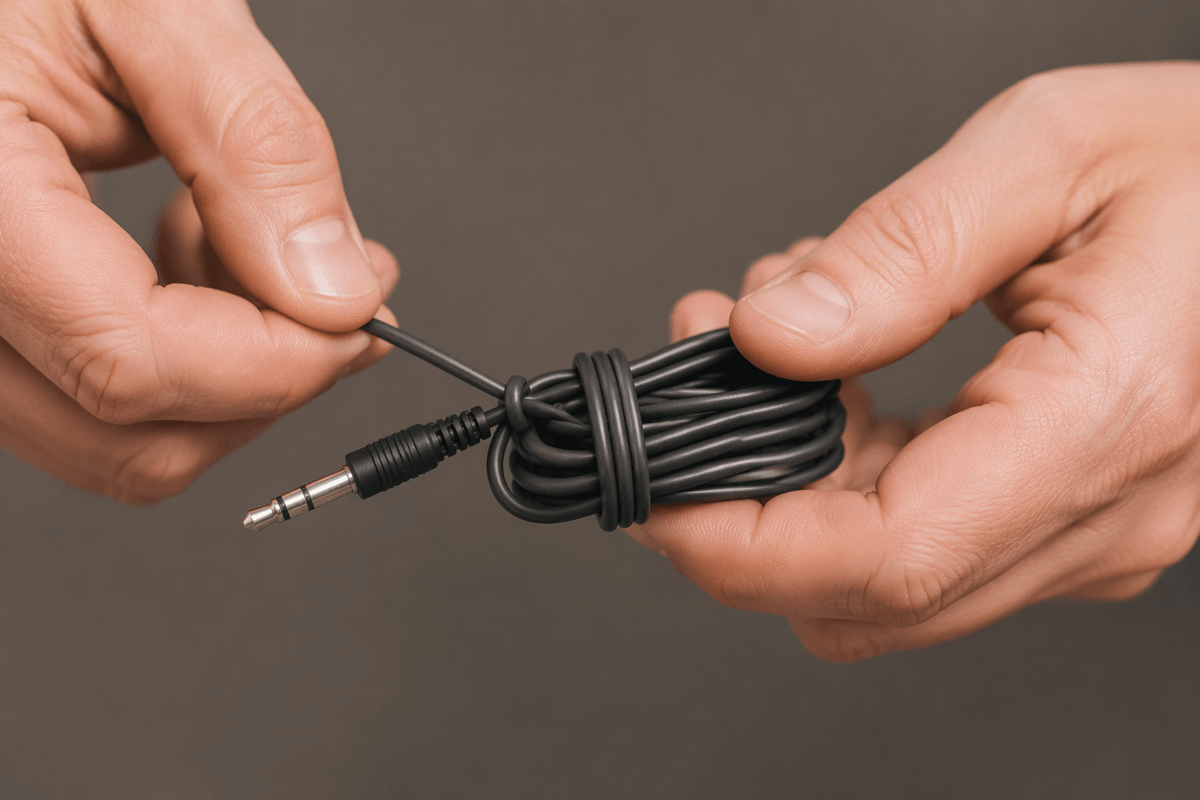
You finish a call, wind the cable into a tight little puck, and tuck it into a pocket so it won’t tangle. It looks neat, but tight wraps and quick “knots” train the wire to hold sharp bends, especially near the plug and the first inch out of the earcup. Over time the cable jacket takes a set, the inner conductors fatigue, and you get that same intermittent crackle you thought only came from yanks.
Use a loose coil about the size of your palm, and let the cable follow its natural curve instead of fighting it. If you need it compact, do a gentle figure-eight or use a simple Velcro tie; even a rubber band is better than a knot. The small cost is a few extra seconds and a slightly bigger bundle in your bag, but it pays back in months of cable life.
Loud listening, distortion, and heat that cooks drivers
You crank the volume to overpower a bus, a treadmill, or an open office, and the sound gets a little gritty on kick drums or “S” sounds. That grit is distortion, and it usually means the driver is being pushed past what it can cleanly move. When that happens, more of the amplifier’s power turns into heat inside the tiny voice coil instead of smooth motion, and heat is what warps adhesives, weakens thin wires, and accelerates failure over time.
A simple rule: if you can’t hear details without going “one more notch,” fix the situation instead of the volume. Use a better seal (fresh tips or pads), switch to a more isolating pair for commuting, or turn on noise canceling if you have it. The practical trade-off is comfort and awareness—strong isolation can feel stuffy and makes it easier to miss announcements or traffic.
Sweat and moisture: the slow corrosion you don’t notice
You wipe sweat off your forehead, but the pads and grilles are quietly soaking it up. Sweat isn’t just water—it carries salts that creep into seams, button gaps, charging ports, and around driver meshes. Over weeks, that film can corrode contacts, make volume buttons unreliable, and leave you with random cutouts that seem “electronic” but are really moisture damage. Earwax and humidity add a sticky layer that traps grit, so the driver has to work harder and can start sounding dull or uneven between sides.
Give them a chance to dry before they go back in a case or gym bag, because trapped moisture is what does the most damage. A quick wipe with a slightly damp cloth, then a dry one, is usually enough. The annoying part is time: if you need to pack up fast, you’re choosing convenience over long-term reliability.
Crushing them in bags and stretching headbands carelessly
You toss your headphones into a backpack with keys, a water bottle, and a laptop charger, then wonder why one side starts cutting out. Pressure is the quiet killer: earcups get twisted, yokes get pried sideways, and the driver grille can take dents that change how air moves. Even wireless models suffer when a case-less pair gets crushed often enough to loosen internal connectors or crack plastic mounts.
The other common move is pulling them off with one cup and letting the headband snap back. That repeated over-stretch slowly relaxes the band, stresses hinge pins, and can tear the pad mounting ring. Use two hands, keep the cups parallel when you open them, and give them a dedicated pocket or cheap hard case. The cost is a little bulk, but it prevents the kind of damage you can’t “tape” back together.
Ignoring cleaning until pads flake and sound changes
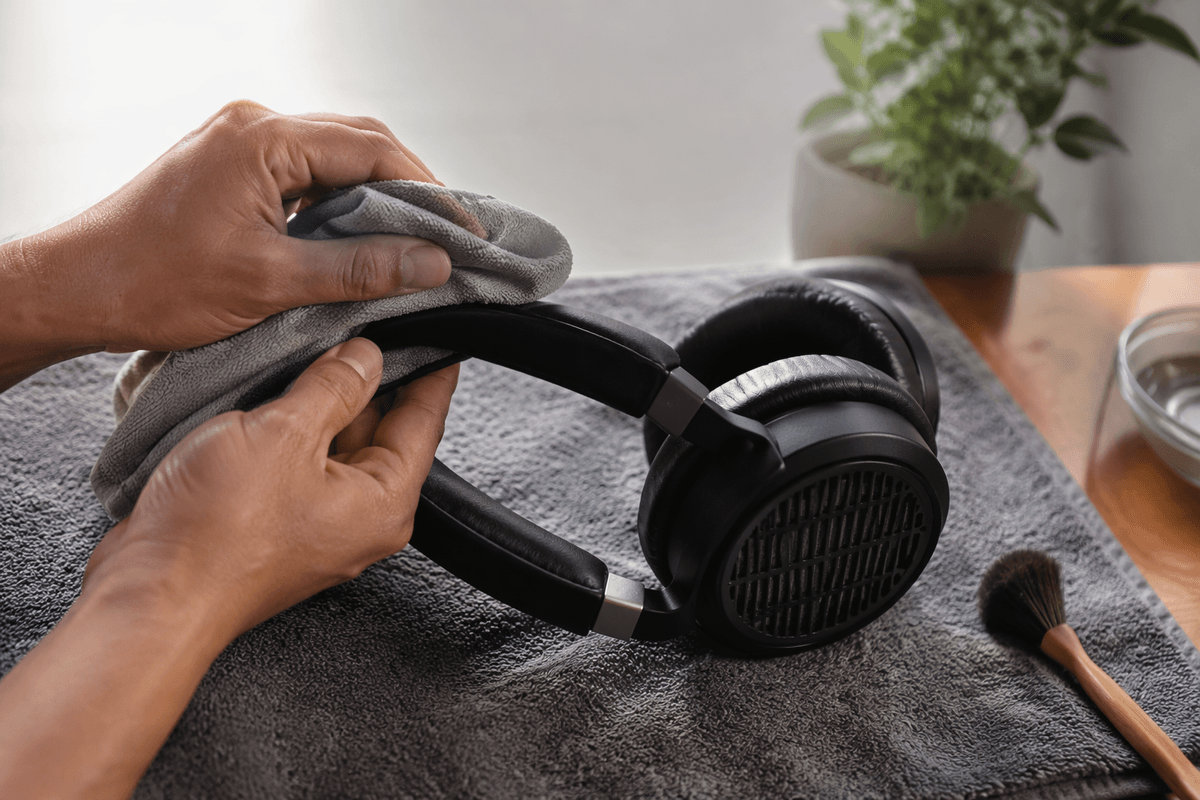
You notice it when a familiar song starts sounding a little “boxed in,” or when the pads feel slick, then suddenly start shedding. That change isn’t cosmetic. Oils from skin, hair products, sweat residue, and dust build a film that clogs meshes and ports, reduces the seal around your ear, and shifts the bass and imaging. On in-ears, a little earwax in the nozzle can make one side quieter, so you keep turning the volume up and stress the drivers even more.
Cleaning doesn’t need to be a project, but it does need to be regular. Wipe pads and headband weekly with a slightly damp cloth and let them dry fully; use a dry soft brush for grilles and vents. Replacing pads costs money, and some models use proprietary mounts, but fresh pads often “fix” sound problems that people mistake for failing electronics.
A quick “last longer” checklist you can actually keep up
When you unplug, pull the plug housing, not the cord, and leave a little slack so the connector isn’t acting like a hinge. Store cables in a loose palm-sized coil (or a gentle figure-eight) with a simple tie—no tight puck, no knots. If you’re going past about 70–80% volume to “hear it,” switch to better isolation or noise canceling instead of pushing harder. After workouts, wipe pads/tips, then let everything air-dry before it goes in a case. In bags, use a dedicated pocket or cheap hard shell. Once a week: wipe pads/headband and brush grilles; replace pads when the seal goes soft.